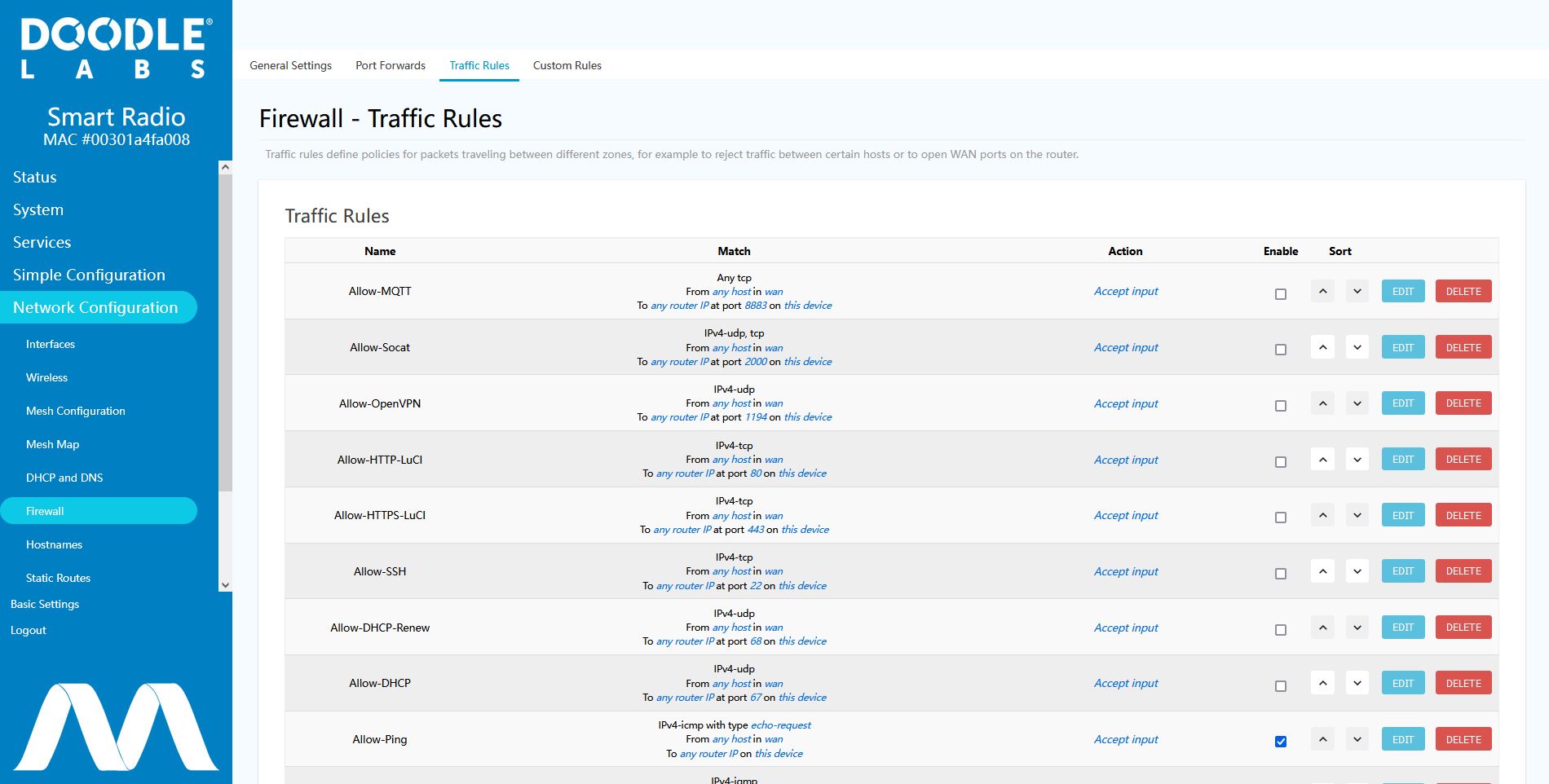
Advanced Port Forwarding

This is for advanced users only, making changes here can break normal functionality of your aircraft - use at your own risk
To make advanced setup changes not available through the normal web interface, the aircraft radio can be accessed directly.
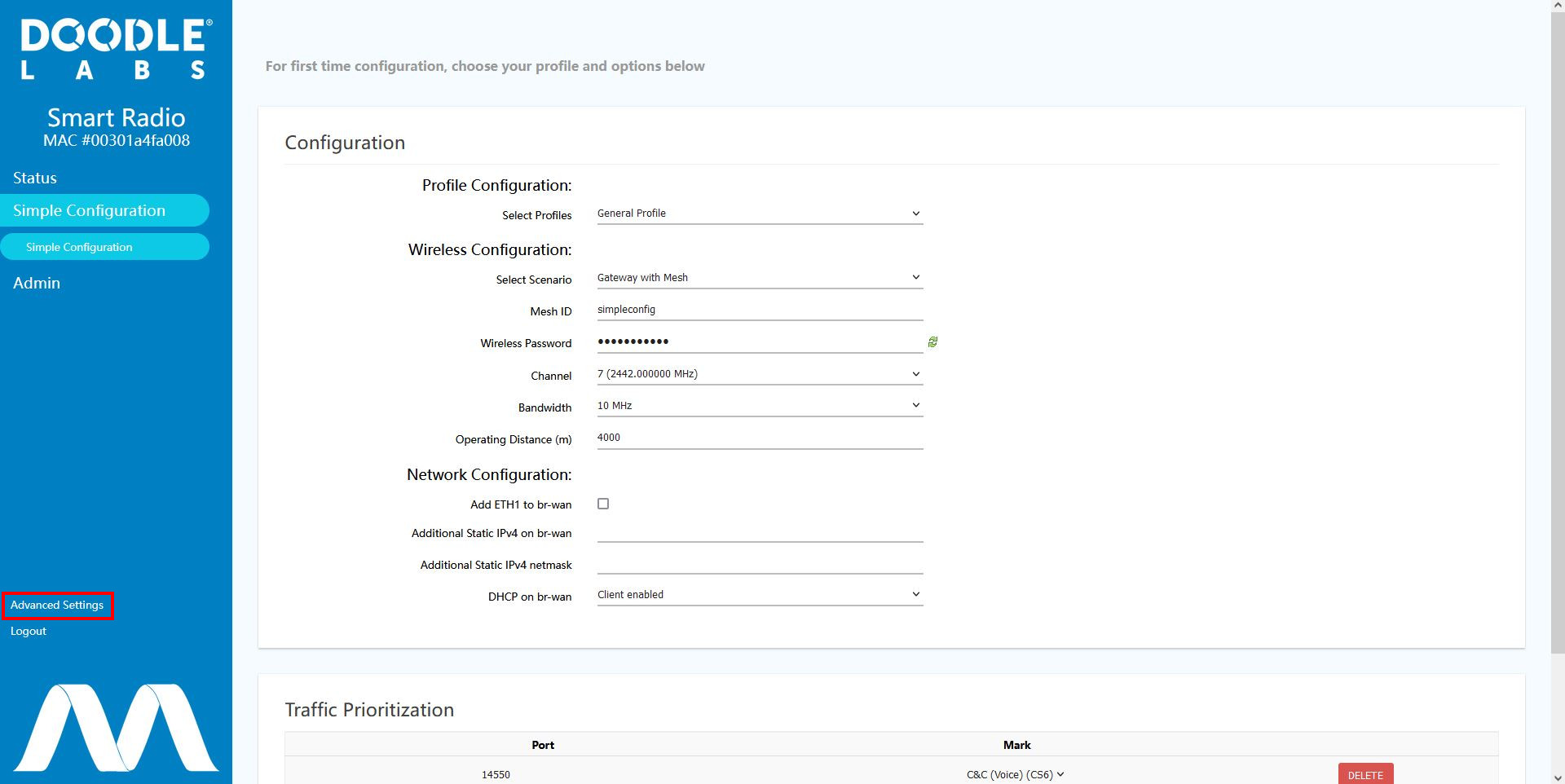
To access the radio configuration website for advanced configuration navigate to https://<aircraft name>:4434. This may give a warning that the website is not secure, click to continue. Login with the same password as the aircraft and navigate to advanced options in the bottom left as shown.
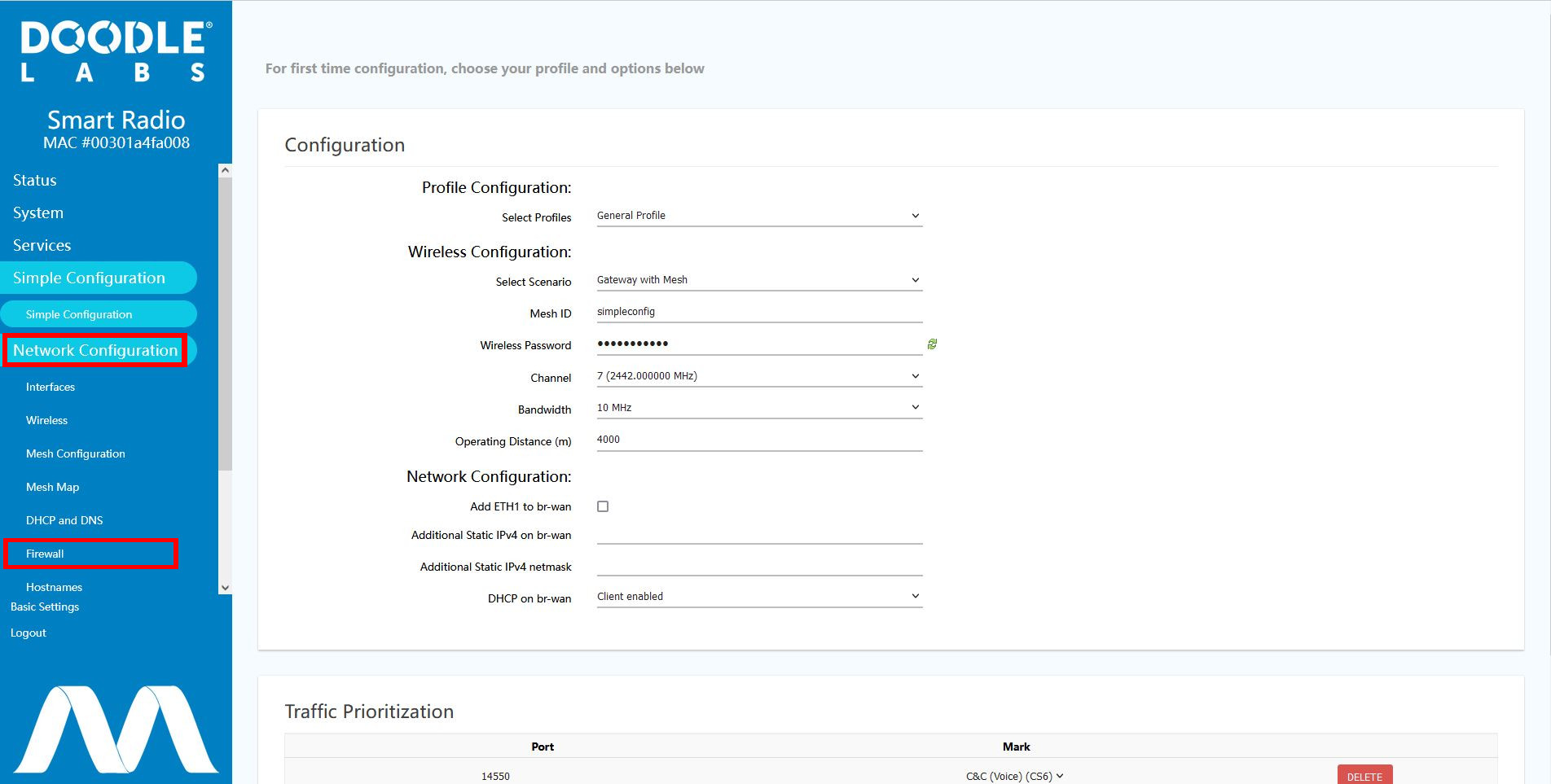
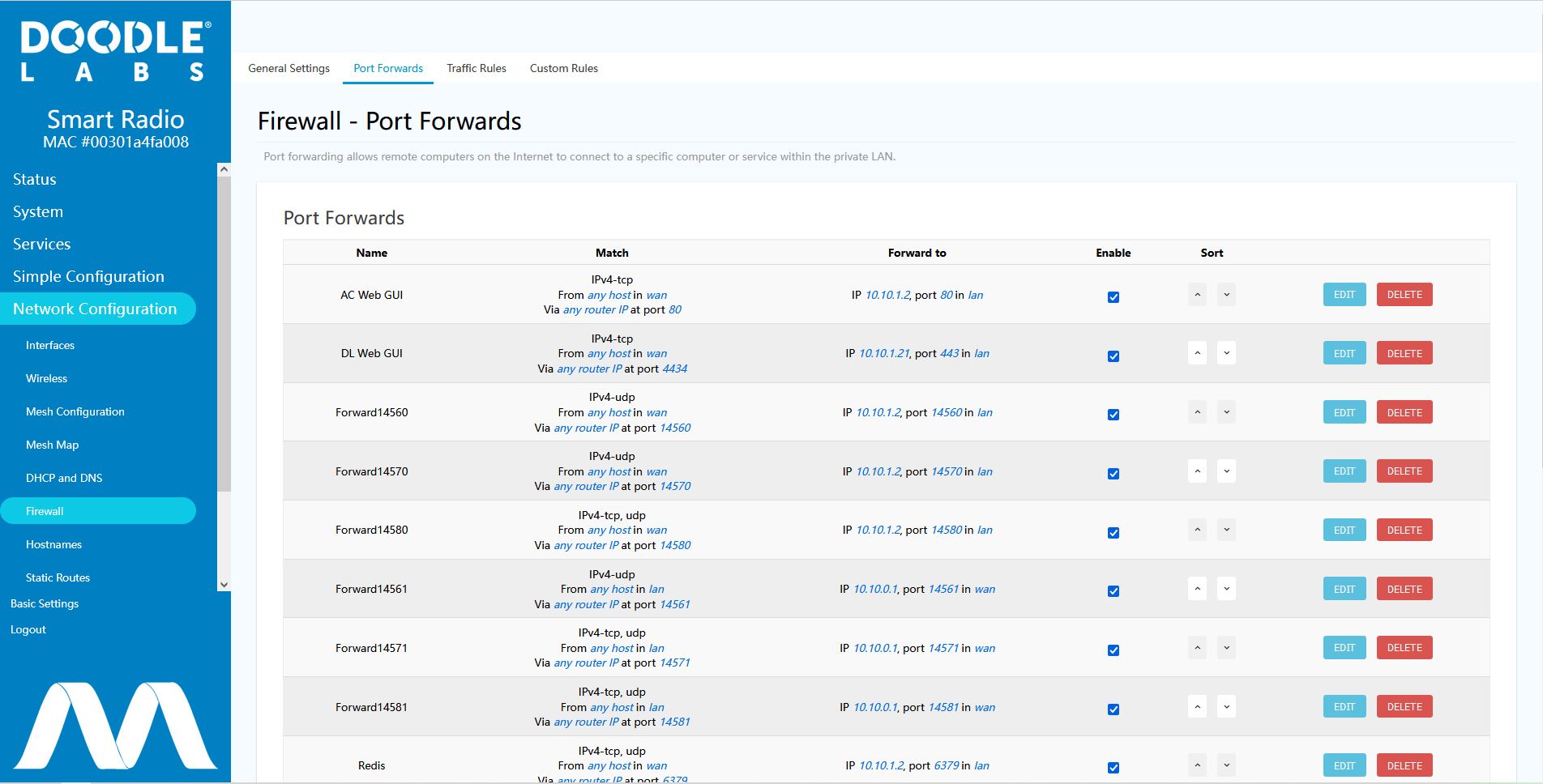
Then select “Network Configuration“ followed by “Firewall“.
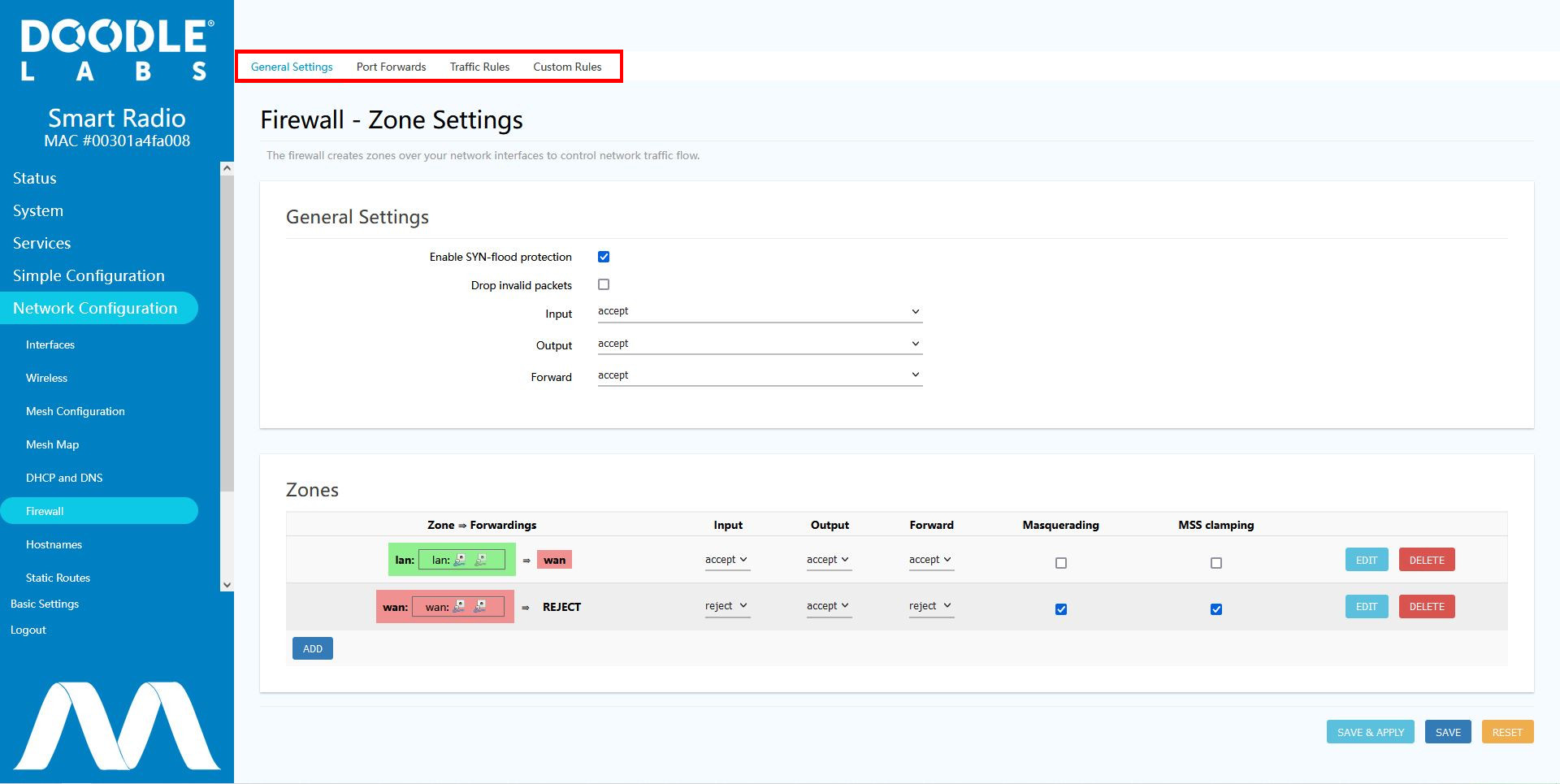
This page will provide options for configuring the firewall to allow new port forwards or create traffic rules. The port forwarding and traffic rules pages can be reached using the tabs at the top of the firewall page.
Port Forwards can be used to pipe traffic on specific external ports to another port anywhere inside the network.
Traffic rules can be used to block or allow specific traffic from entering the internal system.